This article was first posted on Pretzel Lectern. It has been updated slightly to fit WordPress.
So you have a good idea for a magic item for your character. You approach your Dungeon Master about it, who flips through the downtime options in Dungeon Master’s Guide and Xanathar’s Guide to Everything and gives you guidelines on how to get started. The problem is, if you follow those rules exactly, you’ll run into problems like the following:
- An arrow +2 will cost 1,000 gp, and an arrow +3 will cost 10,000 gp.
- Uncommon potions of healing cost TWICE as much to craft as simply buying them (which I seriously think is an error), based on the Adventurer’s League prices.
- A Legendary single-use spell scroll (9th level) costs TWO AND A HALF TIMES as much to make as a Legendary item that has permanent enchantments.
- It can take you anywhere from half a year to FIVE YEARS to craft a Very Rare item that you could find much earlier while just leveling up and adventuring during that same time period.
Luckily, Xanathar’s Guide makes crafting a lot more viable, but the system still suffers from too broad of rarity ranges, a lack of specific rules for magic item attributes, and just a general lack of fun. I get that 5e’s primary quality is simplicity and being streamlined, but if a player wants to craft a magic item, some complexity is required to make a balanced system. You can’t just abstract everything about the process.
Making crafting too easy breaks the game and cheapens magic items; however, making crafting too hard discourages it from ever happening, which is a shame. How can we make a crafting system that is closely based on the existing rules, but fixes rarity ranges, ensures balance and viability, and gives balanced, reverse-engineerable rules for giving magic items attributes? Below is my suggested solution.
Item Rarity
The main thing we need to understand, and what a lot of the problems revolve around, is 5e’s rarity system. Magic items range from Common to Legendary, and the range has some problems, particularly within the “Very Rare” rarity level. This is the level where the cost range is 5,000–50,000 gp, and the power of the items ranges from arrows +3 to flying carpets and swords that can lop creatures’ limbs off. One of the first ways to fix the crafting system is to separate this Very Rare rarity into two: Very Rare and Epic. Epic rarity will split the rarity in half, allowing for a smaller range of gold and time to work with. For the purposes of this classification, Epic magic items cost between 20,000–50,000 gp, and Very Rare magic items range from 5,000–20,000. Categorizing existing Very Rare magic items into these categories will have to be done by intuition—obviously a weapon +3 would be Very Rare and a dwarven thrower, which has a +3 bonus in addition to other properties, would be Epic.
Magic Item Design
The next thing we need to know are the guidelines in the DMG for Dungeon Masters to create magic items. Here are the tips they give:
- +1 bonuses are Uncommon, +2 bonuses are Rare, and +3 bonuses are Very Rare.
- Uncommon items are for up to 4th-level characters. Rares are for up to 10th. Very Rares are up to 16th. Legendaries are 17th and higher.
- Items have a maximum spell level based on their rarity.
- Items have a maximum bonus based on their rarity
- Items that do NOT require attunement should not have lasting benefits and should not grant a bonus that other items also grant, to avoid stacking.
This is an okay start, but we’re missing a lot of information here: How rare is granting resistance? Why is a longsword +1 Uncommon but half plate +1 Rare? What if an item can cost its maximum spell level at will instead of once per dawn? An easier way to determine an item’s rarity is to look first at the item’s cost range and then at the rarity. By assigning gp values to different attributes, we can make a system for determining rarity much more simply.
Also, it’s worth considering the DMG‘s rules for custom spells here as well, at least in terms of damage. A 1st-level spell deals about 2d10 damage, or 2d6 damage to a group, a 3rd-level spell deals about 5d10 damage, and so forth.
Lastly, it’s also good to keep in mind existing class features. Simply look at the level of the class the feature is gained at and use that as a guideline (see the second bullet point up above).
Magic Item Cost and Time
I’m just going to throw the DMG rules for crafting right into the garbage here, because if you look at them and do the math, a magic item of Legendary rarity takes fifty-four years to craft. Xanathar’s Guide is much more reasonable by prescribing a time and a cost that each rarity of item takes, instead of just saying “25 gp per day toward the total cost.”
However, I think we can do better. I think we can split up the magic item costs within their respective rarities even more by looking more closely at the spell level. Consider Rare items. They encompass items that have a spell level of 4th to 6th, yet by Xanathar’s rules, all of them only cost 2,000 gp and take about two and a half months to craft. That’s quite the jump (5x) from a mere two weeks for an Uncommon item, and the next jump (2x) to Very Rare is a half a year’s worth of crafting time and ten times the cost. I’m all for exponential growth in cost, but not this drastic. The CR range of the magic item ingredient is also a bit too wide for my taste.
By organizing price by spell level and crafting time dividing the cost by a rarity standard, we split Uncommon items into two cost tiers and Rare items into three cost tiers. And if we say our new Epic rarity of magic items goes up to 8th level and Very Rare goes up to 7th level, we’ve got a much more evenly distributed range for our magic items to be crafted.
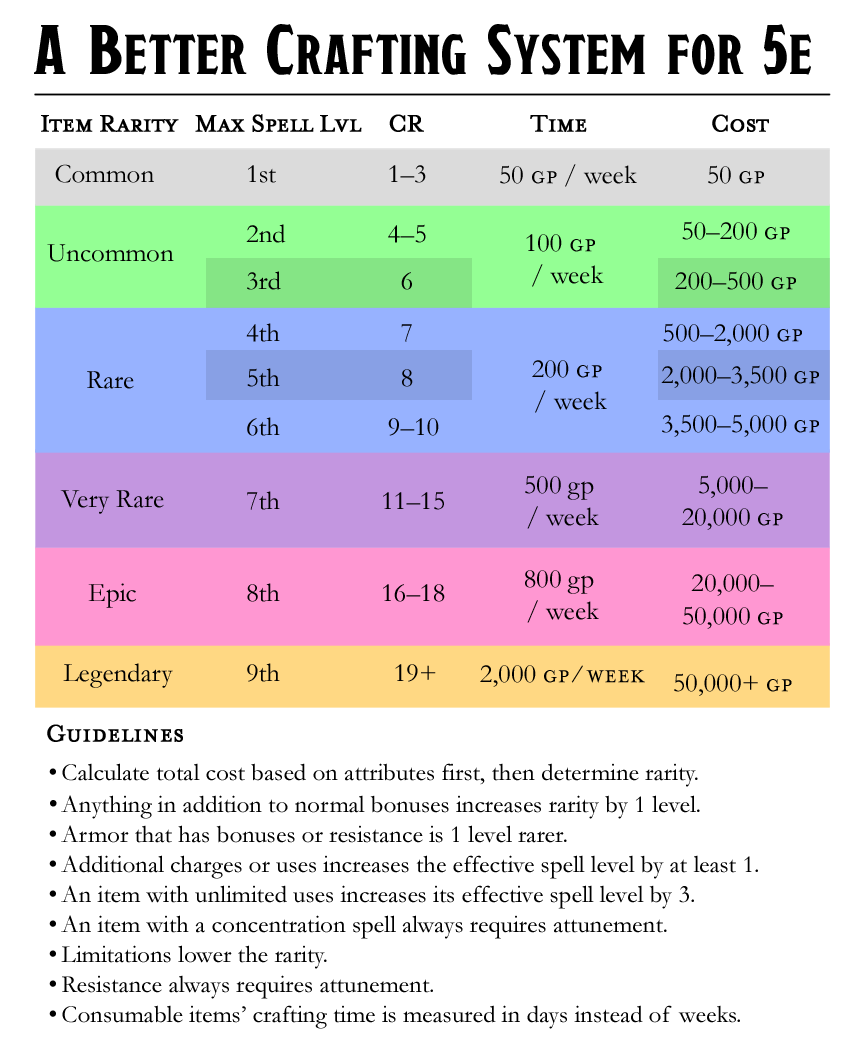
With those changes and with a more even distribution of the CR range for ingredients (or as I like to call them, reagents), the table looks more complex, but it will give us a much more reasonable set of rules to work with:
| Magic Item Rarity | Max Spell Level | Reagent CR | Time | Cost |
| Common | 1st | 1–3 | 50 gp / week | 50 gp |
| Uncommon | 3rd | 4–6 | 100 gp / week | 200–400 gp |
| Rare | 6th | 7–10 | 200 gp / week | 500–5,000 gp |
| Very Rare | 7th | 11–15 | 500 gp / week | 5,000–20,000 gp |
| Epic | 8th | 16–18 | 800 gp / week | 20k–40k gp |
| Legendary | 9th | 19+ | 2,000 gp / week | 50k+ gp |
There’s still wide range of prices between Very Rare and Epic items, which causes a weird disconnect in the time range, and Legendary items don’t have a cap on cost, but if we focus more on that cost value than on the rarity itself, it probably doesn’t matter much. You simply divide the total value by the time, and you’ll get a crafting time that’s reasonably close to that in Xanathar’s Guide. And DMs can use their best judgment when making items whose prices are close to a threshold. This is also a more useful table for determining the gold value of existing magic items in the game.
In summary, Common items take 1 week to craft, Uncommon items take 2–4 weeks. Rare items take 5–15 weeks. Very Rare items take 10–25 weeks. Epic items take 25–60 weeks. Legendary items take at least a year to craft. And remember that the cost (and therefore time) of all consumable items is halved, but I’m fine with even quartering the cost of ammunition items just to make them more worth crafting; a single arrow that costs a month’s wages of a modest lifestyle and loses its power after a single hit is pretty steep. Make sure to note the reagent CR of a consumable item’s original rarity before you calculate the cost, since the cost reduction will seem to reduce its rarity in the table above.
Now all we need to do is figure out how to distribute the cost when crafting a custom magic item.
Magic Item Attributes
Okay, now that we have our new table set up, let’s determine some basic attribute rules for item customization. I want to keep this as simple as possible, since the table is already upping the complexity of our 5e game quite a bit as it is, so let’s see if we can use the existing magic items in the DMG as examples we can reverse-engineer. This won’t be a perfect process no matter what we do, but my goal here is to just give a resource that will help DMs get as close as possible to a balanced item without having to just take a wild guess.
Looking at the existing magic items, it’s easy to see some patterns. For example, armor is one step rarer than weapons and other items with numeric bonuses. It’s almost a universal rule that resistance requires attunement and is at least of Rare rarity. It’s also rarer to find items that have charges than it is for an item that can only be used once per dawn, and even the maximum spell level isn’t always a hard and fast rule, since spells that affect multiple targets seem to be rarer.
After some research and trial and error, I’ve come up with the following basic rules to follow when determining a custom item, based on a specific spell or effect, or modifying/upgrading an existing item:
- Anything in addition to normal bonuses makes the item one level rarer.
- Armor is one level rarer when it has bonuses or resistance.
- Additional charges or uses increase the effective spell level by at least 1.
- An item with unlimited uses has its effective spell level increased by 3.
- An item with a concentration spell always requires attunement.
- Limitations lower the rarity.
- Resistance always requires attunement.
There are, of course, other things to keep in mind, such as different types of damage that are more commonly resisted and whatnot, but these keep it simple enough for a starting point. Also, keep in mind that the rarer the item, the less dependable all of these rules are. Epic and Legendary items may require more fine-tuning than others depending on their complexity. The best thing to do is just compare it to similar items and mechanics in the game and hope for the best. And if possible, test.
Let’s put these rules to use with a handful of magic items from the DMG. Ones that follow the rules easily, like weapons +2, are self-explanatory. Let’s go with the dragon slayer, staff of healing, cap of water breathing, potion of flying, ring of telekinesis, and the Ollamh harp.
Dragon Slayer
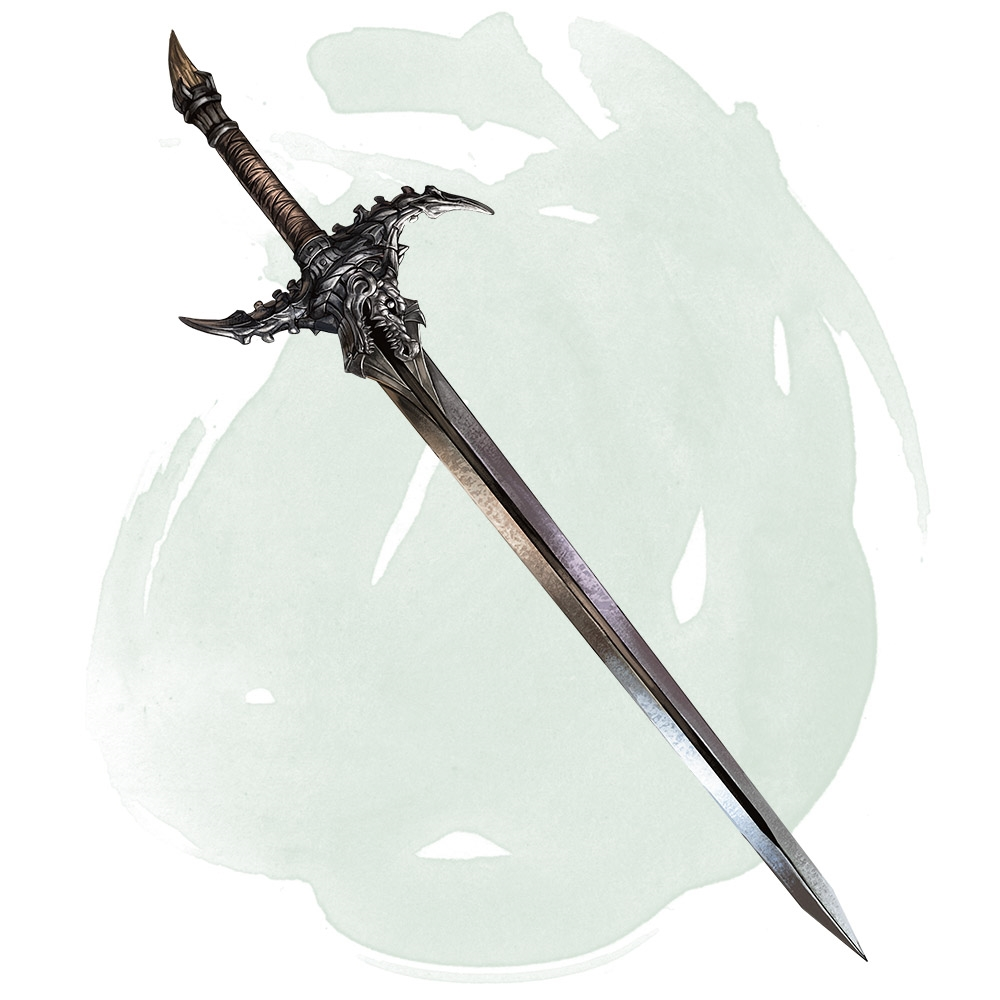
Let’s start with an easy one. An Uncommon weapon grants a +1 bonus to attack and damage rolls, which the dragon slayer does, but since it also deals an additional 3d6 damage to dragons, the rarity is bumped up to rare. Since 3d6 is roughly the damage of a 2nd-level spell, but since it’s limited only to dragons, I’d say adding 1 to the spell level of the item would make a dragon slayer cost 1,000 gp and take 5 weeks to craft. A Rare magic weapon with no attunement cost. Perfect.
Staff of Healing
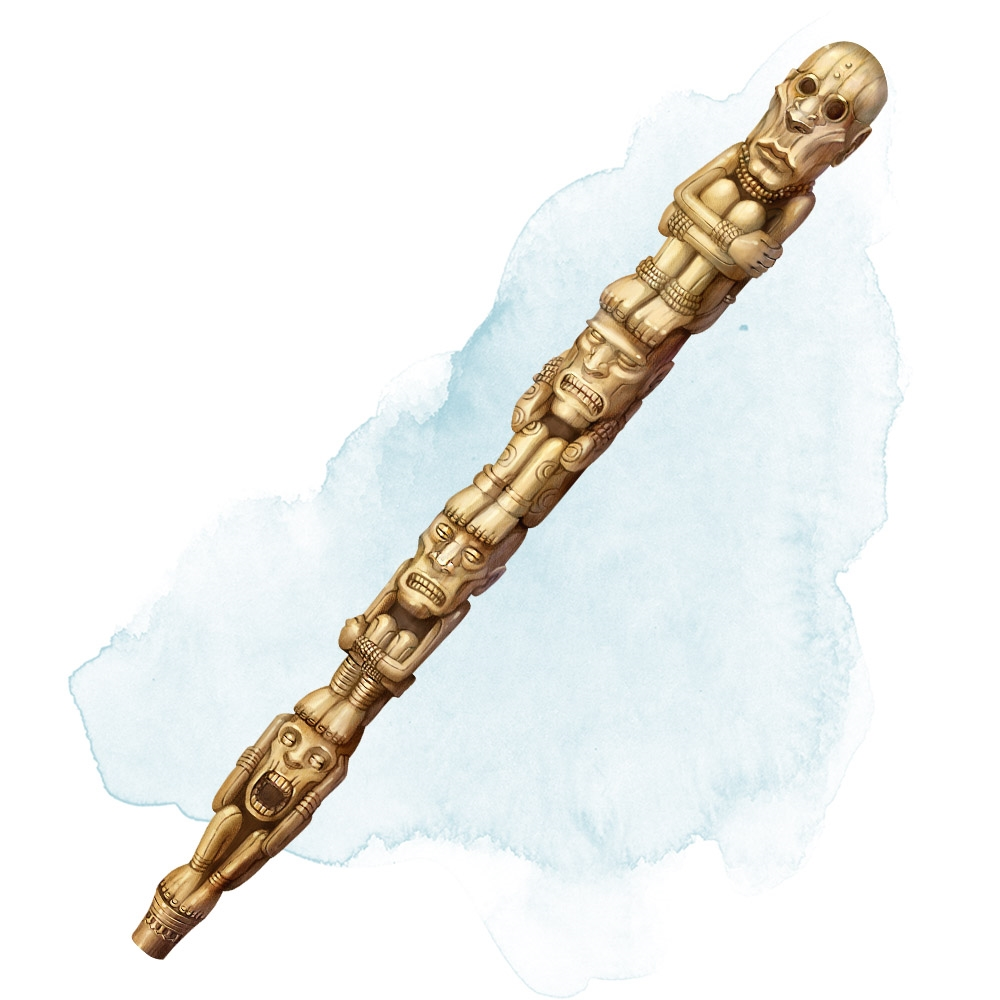
Let’s see if this staff fits my criteria. It has 10 charges, for starters, and the highest spell it can cast is mass cure wounds. That’s 5th level, so it can cast it twice, or cure wounds up to 4th level (so 2–10 times), or lesser restoration 5 times. It’s pretty dang good for a Rare magic item, but it does require attunement, and if you use it too much and are unlucky, you won’t be able to use it every day, and may even lose it forever. It’s toward the higher end of Rare items, so I’d definitely say 4,000 or 5,000, but it fits pretty well there.
Cap of Water Breathing
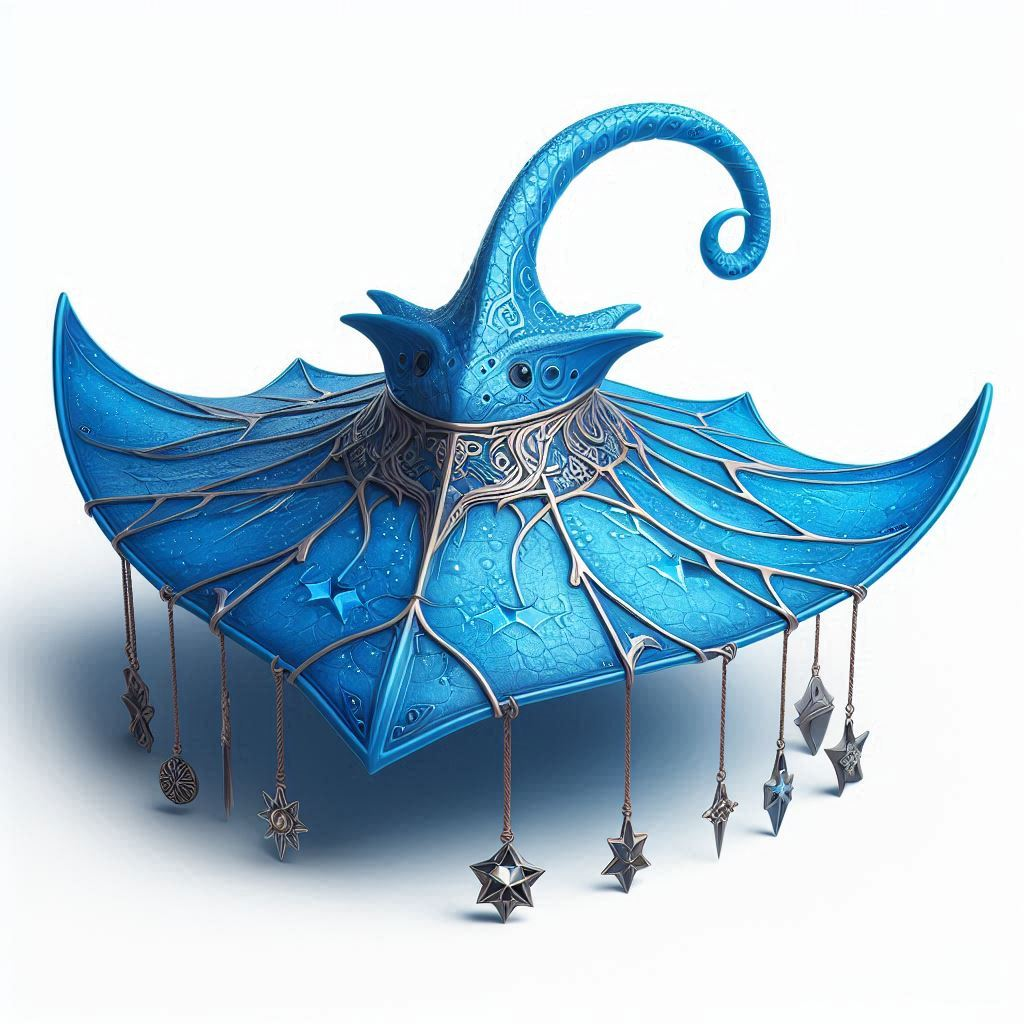
Water breathing is a 3rd-level spell, but casting it at that level allows you to affect up to 10 people with it, so only affecting the person who’s wearing the cap lowers its effective spell level by a bit. It can be used at will, but water breathing has a duration of 24 hours, so that’s not a huge stretch of its power anyway. I think this fits as a 200-gp Uncommon magic item just fine.

Potion of Flying
Let’s try a consumable item and see if my formula still works: A potion of flying seems to start with the fly spell, which is 3rd level, but there are a couple of important differences: fly grants a flying speed of 60 feet, it lasts 10 minutes, and it requires concentration. This potion only grants a flying speed “equal to your walking speed” (so probably only 30 feet); but it lasts for a whole hour, it does not require concentration, and you can hover, meaning you can’t be knocked prone out of the sky while under its effects. I’d increase the effective spell level by 2 for the lack of concentration alone, and another 2 levels for the hour-long duration. I think the hover benefit and the lower speed drawback cancel each other out, leaving us comfortably at the lower end of Very Rare rarity.
Cutting the cost in half brings the price of a potion of flying to 2,500 gp. If we applied the normal time duration to this, even using its effective Very Rare rate on its Rare price, it would take over a month to brew a single potion. That seems like a ripoff. I’m all for being much more lenient with consumable items—No matter how good they are, you use them once and they’re gone forever. So I vote that consumable items’ crafting time should be measured in days instead of weeks. Five days to brew a potion of flying sounds perfectly reasonable to me. You still have to spend a fair amount of gold and hunt down a Very Rare reagent (like a roc feather) to brew it, and it seems different from permanent magic items where a player might enjoy looking forward to making progress on it over time.

Ring of Telekinesis
Alright, since we’re dealing with a Very Rare or Epic item this time, let’s start out a bit simpler. A ring that lets you cast the telekinesis spell at will. By our rules, that would mean a 5th-level spell raised to an 8th-level spell since it has an unlimited number of uses. That does fit as an Epic item, but it’s very important to take limitations into account: The ring’s description says “but you can target only objects that aren’t being worn or carried.” That lowers its power considerably since you can’t affect creatures with it, so I’d say that lowers the spell level by 1. That makes it fit as a Very Rare item.
Since Very Rare has a reagent CR of 11–15, I’d say a beholder (CR 13) would have a good reagent since once of its eye rays is telekinetic. That puts it right in the middle of the Very Rare price range at 10,000 gp. I’m not sure why, but my DM gut says I’d probably bump it down just a bit more though, to 8,000 or so, because not being able to target creatures is a big knock down. Still within the rarity, and I’m all for going with your gut in cases like this. These are only guidelines, after all!
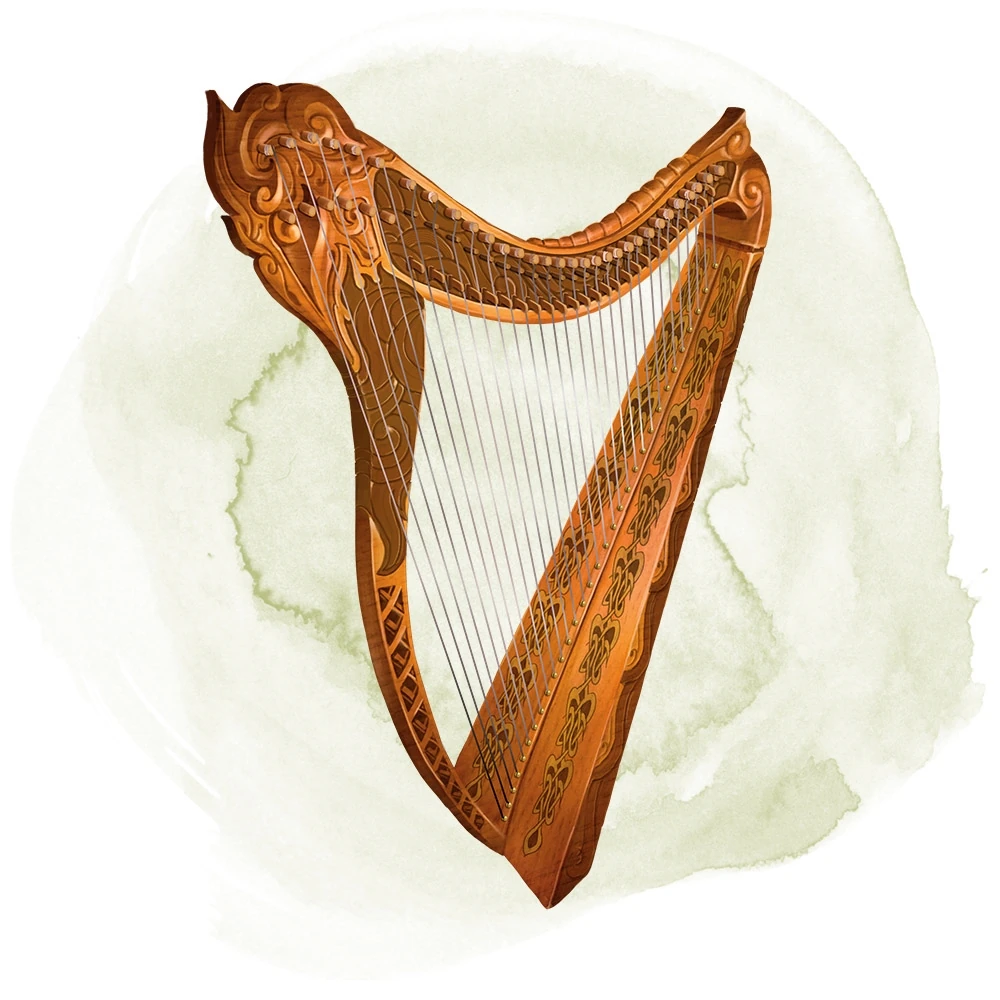
Ollamh Harp
Okay, now let’s go a bit more complex and check out a Legendary magic item. The Ollamh harp can cast fire storm and control weather once each a day, 7th- and 8th-level spells already, and it also lets you cast five other lower-level spells once per day, and it gives disadvantage on all spell saves against being charmed by a spell cast through the harp, even if it’s just being used as a spellcasting focus. Even though this item is limited to bards, it’s still high enough in power with all of those powerful spells that it still fits in the Legendary rarity. I’d say a solid 60,000 gp cost, and 14 months of crafting time, would be fair for the harp.
These were chosen at random out of the hundreds of magic items in the game so far, so I’m sure there are some outliers (like the vicious weapon, which is Rare despite only dealing an extra 7 damage on a roll of 20 with the weapon, or the coiling grasp tattoo, which should be a lot rarer than an Uncommon if it allows you to deal 3d6 force damage and auto-grapple at will. Seriously); however, this was a fun exercise in any case, and I really think this should help the process of crafting magic items be more accessible and fair to DMs.
After fiddling with a few more items, here’s a cheat sheet you can download for your own use of this system. Also, check out this post for some more items I ran through it with fairly consistent success!

 Austin Ballard